教學 6 - 放到網路上!
除了支援行動平台外,Toga 還支援網頁!使用與部署桌面和行動應用程式相同的 API,您可以將應用程式部署為單頁 Web 應用程式。
概念驗證
Toga Web 後端是所有 Toga 後端中最不成熟的。它已經足夠成熟,可以展示一些功能,但它可能有缺陷,並且會缺少其他平台上可用的許多小部件。此時,Web
部署應被視為 概念驗證 - 足以演示可以做什麼,但不足以依賴認真的開發。
如果您對本教學的這一步有疑問,可以跳到下一頁。
部署為 Web 應用程式
部署為單頁 Web 應用程式的過程遵循相同的熟悉模式 - 建立應用程序,然後建立應用程序,然後運行它。然而,Briefcase 有點聰明,如果您嘗試運行應用程序,並且 Briefcase 確定該應用程式尚未針對目標平台創建或構建,它將為您執行創建和構建步驟。由於這是我們第一次運行該應用程式的網絡,我們可以使用一個命令執行所有三個步驟:
(beeware-venv) $ briefcase run web

[helloworld] Generating application template...
Using app template: https://github.com/beeware/briefcase-web-static-template.git, branch v0.3.18
...

[helloworld] Installing support package...
No support package required.

[helloworld] Installing application code...
Installing src/helloworld... done

[helloworld] Installing requirements...
Writing requirements file... done

[helloworld] Installing application resources...
...

[helloworld] Removing unneeded app content...
Removing unneeded app bundle content... done

[helloworld] Created build/helloworld/web/static

[helloworld] Building web project...
...

[helloworld] Built build/helloworld/web/static/www/index.html

[helloworld] Starting web server...
Web server open on http://127.0.0.1:8080

[helloworld] Web server log output (type CTRL-C to stop log)...
===========================================================================
(beeware-venv) $ briefcase run web

[helloworld] Generating application template...
Using app template: https://github.com/beeware/briefcase-web-static-template.git, branch v0.3.18
...

[helloworld] Installing support package...
No support package required.

[helloworld] Installing application code...
Installing src/helloworld... done

[helloworld] Installing requirements...
Writing requirements file... done

[helloworld] Installing application resources...
...

[helloworld] Removing unneeded app content...
Removing unneeded app bundle content... done

[helloworld] Created build/helloworld/web/static

[helloworld] Building web project...
...

[helloworld] Built build/helloworld/web/static/www/index.html

[helloworld] Starting web server...
Web server open on http://127.0.0.1:8080

[helloworld] Web server log output (type CTRL-C to stop log)...
===========================================================================
(beeware-venv) C:\...>briefcase run web

[helloworld] Generating application template...
Using app template: https://github.com/beeware/briefcase-web-static-template.git, branch v0.3.18
...

[helloworld] Installing support package...
No support package required.

[helloworld] Installing application code...
Installing src/helloworld... done

[helloworld] Installing requirements...
Writing requirements file... done

[helloworld] Installing application resources...
...

[helloworld] Removing unneeded app content...
Removing unneeded app bundle content... done

[helloworld] Created build\helloworld\web\static

[helloworld] Building web project...
...

[helloworld] Built build\helloworld\web\static\www\index.html

[helloworld] Starting web server...
Web server open on http://127.0.0.1:8080

[helloworld] Web server log output (type CTRL-C to stop log)...
===========================================================================
這會開啟網頁瀏覽器,指向
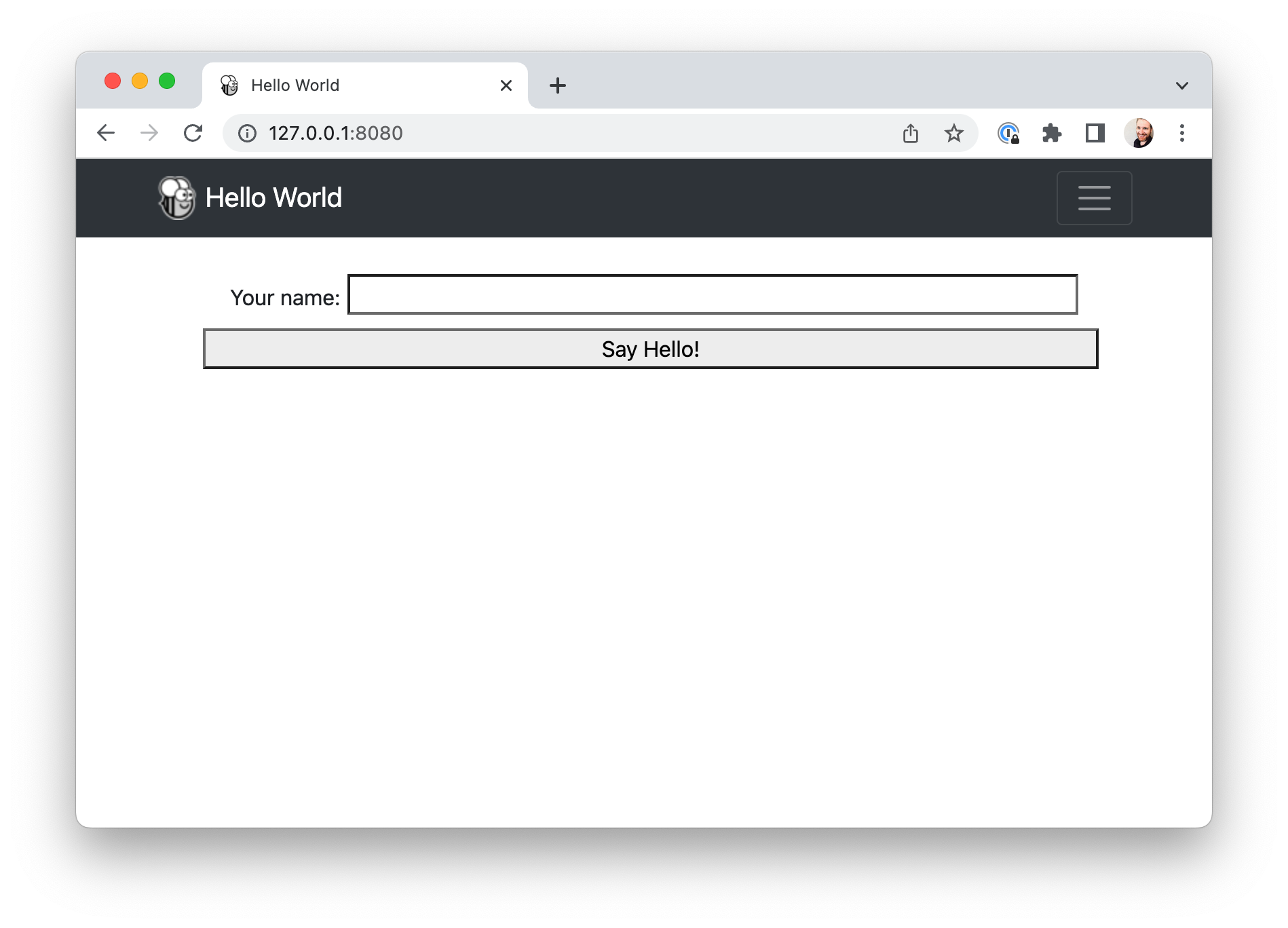 。
。
如果您輸入您的姓名並按一下該按鈕,將會出現一個對話方塊。
這個怎麼用?
此 Web 應用程式是一個靜態網站 - 單一 HTML 來源頁面,帶有一些 CSS 和其他資源。 Briefcase 已啟動本機 Web
伺服器來提供此頁面,以便您的瀏覽器可以查看該頁面。如果您想將此網頁投入生產,您可以將 www 資料夾的內容複製到任何可以提供靜態內容的 Web 伺服器上。
但是當您按下按鈕時,您正在執行 Python 程式碼......這是如何運作的呢?Toga 使用 PyScript 在瀏覽器中提供 Python 解譯器。Briefcase 將您應用程式的程式碼打包成 PyScript 可以在瀏覽器中載入的 wheels。載入頁面時,應用程式程式碼會在瀏覽器中執行,並使用瀏覽器 DOM 建立使用者介面。當您按一下按鈕,該按鈕會在瀏覽器中執行事件處理程式碼。
發佈網頁應用程式
若您願意,亦可嘗試使用PythonAnywhere Briefcase Plugin將此網頁應用程式發佈至網際網路。該外掛的教學指南將承接本頁內容,逐步引導您完成打包與發佈至PythonAnywhere的流程。
下一步
雖然我們現在已經在桌面、行動和網路上部署了這個應用程序,但該應用程式相當簡單,並且不涉及任何第三方程式庫。我們可以在我們的應用程式中包含 Python 套件索引
(PyPI) 中的函式庫嗎?前往 :doc:教學 7<tutorial-7> 找出…